Laptop Technician Repair
IMT Computers Nigeria Ltd teaches Laptop Technician Repair in Ikeja, Lagos — a 3-month, hands-on course from basic electronics to laptop fault diagnosis, component replacement, soldering and operating system installation.
What You'll Learn
Our Training Facility in Ikeja
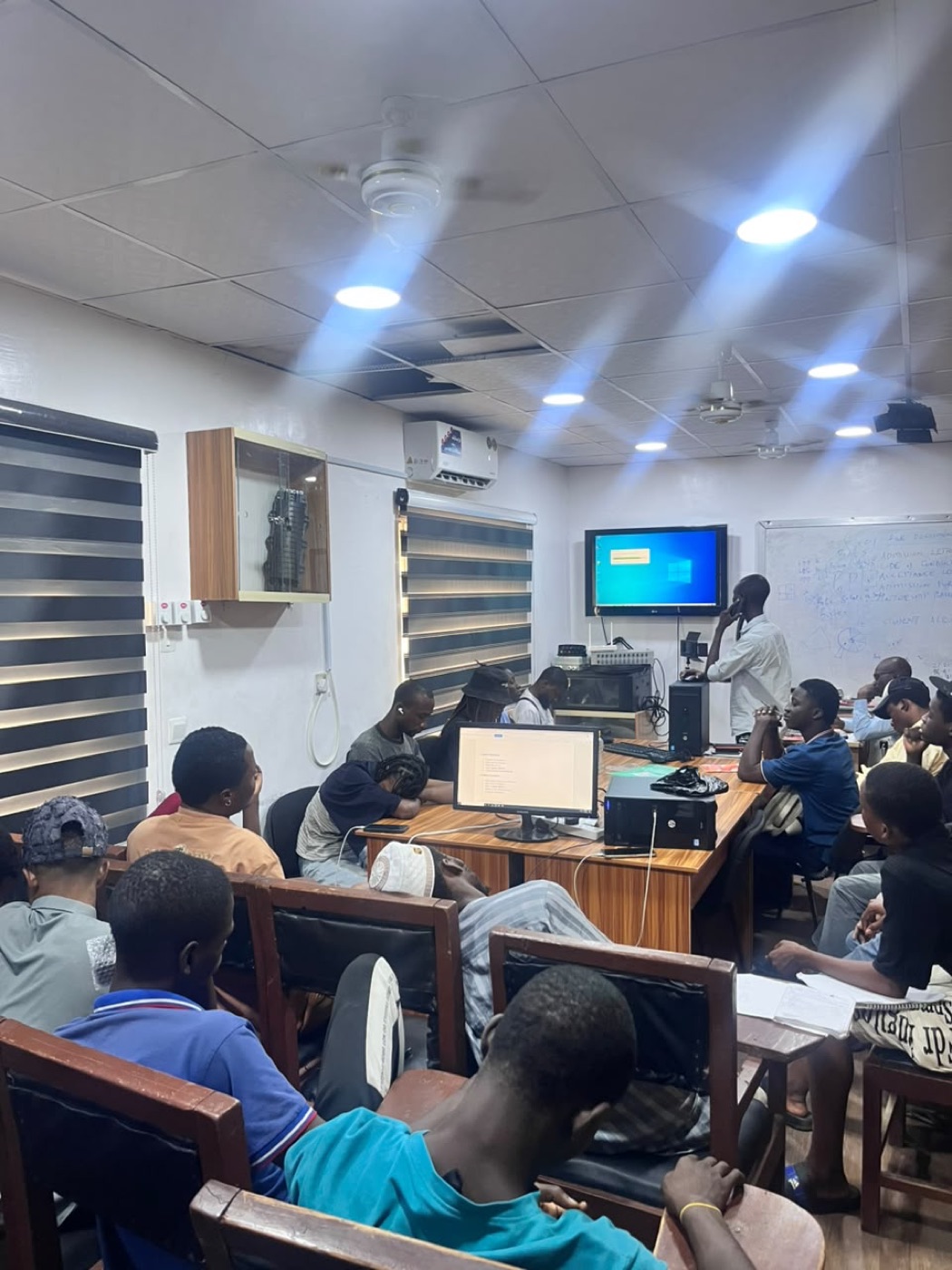
A real look at where you'll train — not a stock photo.
Course Curriculum
12 modules
- Course Introduction and Workshop Safety
- Introduction to Electricity
- Nature and Properties of Electricity
- Conductors and Insulators
- Batteries and Electrical Sources
- Voltage, Current and Resistance
- Ohm’s Law
- Magnetism and Electromagnetism
- Capacitors and Inductors
- Introduction to the Analog VOM Meter
- Practical: Identification of electronic components
- Practical: Measuring voltage, current and resistance
- Practical: Testing batteries
- Practical: Using an Analog VOM Meter
- Practical: Basic electrical safety practices
- Alternating Current (AC) and Direct Current (DC)
- Differences Between AC and DC
- Transformers and Their Applications
- Laptop Chargers and Power Adapters
- Rectification and Diodes
- DC Power Theory
- Understanding Laptop Power Flow
- BIOS Overview
- Laptop Boot Process
- Basic Laptop Fault Identification
- Practical: Testing laptop chargers
- Practical: Testing diodes
- Practical: Identifying AC/DC circuits
- Practical: Tracing basic laptop power flow
- Practical: Identifying common laptop faults
- Identification of Laptop Parts and Components
- Laptop Internal Components
- Motherboard Identification
- RAM and Storage Devices
- Cooling System and Fan
- Laptop Disassembly Procedures
- Laptop Assembly Procedures
- Screen Replacement
- Keyboard Replacement
- Keyboard Cleaning and Maintenance
- Practical: Complete laptop disassembly
- Practical: Identification of internal components
- Practical: Screen replacement
- Practical: Keyboard replacement
- Practical: Proper laptop reassembly
- Computer Memory (RAM)
- RAM Installation and Removal
- RAM Testing and Troubleshooting
- Hard Disk and SSD Installation
- Storage Device Identification
- Hard Disk Partitioning
- Formatting and File Systems
- BIOS Settings and Configuration
- Boot Options and Boot Errors
- BIOS Troubleshooting
- Practical: RAM installation
- Practical: RAM fault diagnosis
- Practical: HDD/SSD installation
- Practical: Disk partitioning
- Practical: Formatting and operating system preparation
- Practical: BIOS configuration
- Dead Laptop Diagnosis
- No Power Faults
- No Display Problems
- Dim Display Problems
- Laptop Freezing and Hanging
- System Crashing
- Overheating Problems
- Cooling System Maintenance
- Fan and Heatsink Maintenance
- Preventive Maintenance
- Practical: Diagnosing a dead laptop
- Practical: Troubleshooting no-display faults
- Practical: Cleaning cooling systems
- Practical: Thermal management
- Practical: Diagnosing overheating problems
- Laptop Keyboard Faults
- Keyboard Troubleshooting
- Touchpad Faults and Troubleshooting
- Memory-Related Faults
- Audio Problems
- Speaker and Microphone Faults
- USB Port Problems
- USB Port Troubleshooting
- Driver-Related Hardware Problems
- Hardware Fault Isolation Techniques
- Practical: Keyboard testing and replacement
- Practical: Touchpad troubleshooting
- Practical: Testing USB ports
- Practical: Diagnosing audio faults
- Practical: Identifying memory-related problems
- Hard Disk Faults
- SSD Troubleshooting
- Hard Disk Health and Failure Symptoms
- DVD/CD Drive Problems
- Laptop Battery Systems
- Battery Charging Problems
- Laptop Charging Circuit
- DC Jack Faults
- DC Jack Replacement
- Basic Charging Fault Diagnosis
- Practical: HDD/SSD diagnosis
- Practical: Testing storage devices
- Practical: Battery testing
- Practical: Charger testing
- Practical: DC jack inspection
- Practical: DC jack replacement
- Introduction to Laptop Motherboards
- Motherboard Components
- Understanding Laptop Power Sections
- Power Section Testing
- Identifying Electronic Components on the Motherboard
- Soldering and Desoldering Techniques
- Use of Soldering Tools
- Component Replacement
- Basic Board-Level Repair
- PCB Handling and Safety
- Practical: Motherboard component identification
- Practical: Voltage testing
- Practical: Continuity testing
- Practical: Soldering practice
- Practical: Desoldering components
- Practical: Component replacement
- Laptop Performance Problems
- Causes of Slow Laptop Performance
- System Speed Optimization
- Startup Program Management
- Storage Optimization
- BIOS Troubleshooting
- BIOS Password and Configuration Issues
- Computer Viruses and Malware
- Virus and Malware Removal
- Basic System Security and Protection
- Practical: Diagnosing slow computers
- Practical: System optimization
- Practical: Removing unwanted programs
- Practical: Malware/virus scanning
- Practical: BIOS troubleshooting
- Advanced Hard Drive Troubleshooting
- HDD/SSD Failure Symptoms
- Storage Error Diagnosis
- Data and Boot Drive Problems
- Laptop Graphics Systems
- Graphics-Related Faults
- Monitor and Display Problems
- Screen Flickering
- Lines and Artifacts on Display
- External Monitor Testing
- Practical: Hard drive diagnosis
- Practical: Storage error troubleshooting
- Practical: Display fault diagnosis
- Practical: External monitor testing
- Practical: Graphics troubleshooting
- Introduction to Operating Systems
- Operating System Installation
- Windows Installation
- Device Drivers
- Driver Installation and Troubleshooting
- Software and Application Installation
- Boot Problems
- Boot Configuration
- Function Keys (Fn Keys)
- Laptop Driver and Utility Management
- Practical: Windows installation
- Practical: Driver installation
- Practical: Application installation
- Practical: Boot troubleshooting
- Practical: Function-key troubleshooting
- Practical: System configuration
- Practical Laptop Fault Diagnosis
- Laptop Disassembly and Assembly
- Hardware Component Replacement
- Operating System Installation
- BIOS Configuration
- Hardware Troubleshooting
- Software Troubleshooting
- Preventive Maintenance
- Customer Service and Repair Documentation
- Final Practical Assessment
- Assessment task: Diagnose a faulty laptop
- Assessment task: Identify the cause of the fault
- Assessment task: Disassemble the laptop safely
- Assessment task: Carry out the appropriate repair
- Assessment task: Replace faulty components where necessary
- Assessment task: Reassemble the laptop
- Assessment task: Install/configure the operating system where required
- Assessment task: Test the laptop after repair
- Assessment task: Document the fault, diagnosis and repair carried out
Your Certificate
Finish Laptop Technician Repair (3 Months) and you receive an IMT Computers certificate with your name and this course on it.
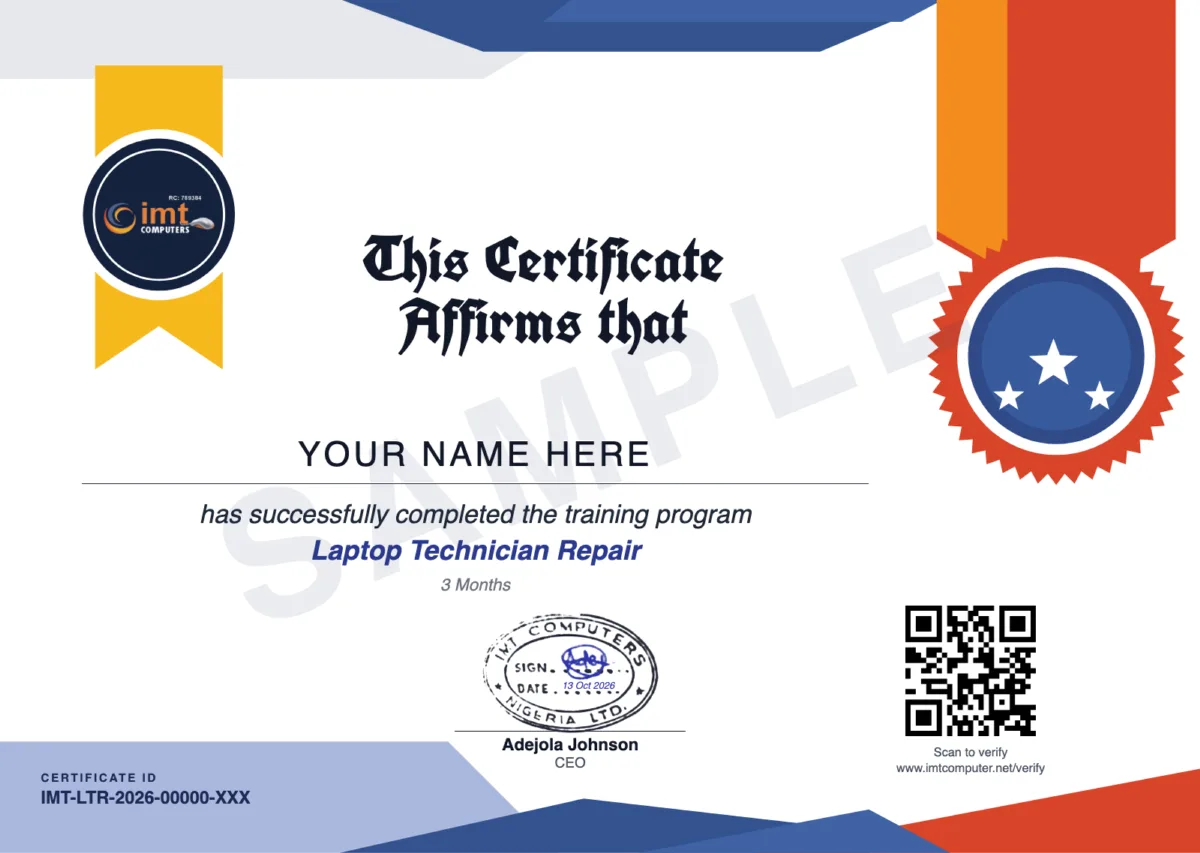
- Its own web link. Send it to an employer or client. They can view the certificate there, and download the PDF once you have agreed to show your name.
- A QR code to scan. It opens the page that confirms IMT Computers issued the certificate. Anyone can also check the Certificate ID on the Verify a Certificate page.
- It does not expire. The certificate stays valid unless IMT Computers revokes it.
- Add it to LinkedIn. From your student portal you can add the certificate to your LinkedIn profile, with the link that lets anyone check it. How it works
Requirements
- Classes hold on Mondays and Wednesdays, 10am to 1pm, at our workshop in Ikeja, Lagos
- The course starts from basic electricity and electronics in week 1
- Our admissions team confirms the next start date and your fee within 24 hours of registration
Course Description
Frequently Asked Questions
How long is the Laptop Technician Repair course and when are classes?
The course runs for 3 months (12 weeks). Classes hold on Mondays and Wednesdays, 10am to 1pm, at our workshop in Ikeja, Lagos.
What will I be able to do at the end of the course?
You will be able to safely take apart and rebuild laptops, diagnose common hardware and software faults, replace screens, keyboards, batteries and DC jacks, install and troubleshoot RAM and storage, test motherboards and do basic soldering, fix BIOS and boot problems, install operating systems and drivers, and document your repairs for customers.
How is the course assessed?
Through continuous practical assessment and a final practical examination in week 12, where you diagnose a faulty laptop, carry out the repair, test it and document the fault and the repair.
How is this different from Laptop Engineering & Board-Level Repair?
Laptop Technician Repair covers the whole laptop: hardware, software, charging, display and an introduction to motherboards and soldering. Laptop Engineering & Board-Level Repair is dedicated to the motherboard: power circuits, schematics and boardview, BIOS programming and micro-soldering.
How much does the course cost?
We don't publish a flat rate. Register and our admissions team will confirm your fee within 24 hours.
Will I get a certificate?
Yes. You receive an IMT Computers certificate of completion for Laptop Technician Repair, with a QR code and its own web link. Anyone can verify it on our Verify a Certificate page, and it does not expire.
This Course Includes
Register for This Course
Our admissions team will reach out within 24 hours.
Repair training: guides and news
- How to Become a Laptop Technician in Nigeria: Skills, Tools and Training Career Tips · October 13, 2026
- Laptop Not Charging? Causes and How Technicians Find the Fault Industry Insights · October 13, 2026
- What Is Chip-Level (Board-Level) Laptop Repair? Skills, Tools and Training Industry Insights · October 13, 2026
- MacBook Repair Training: Why It Is a Different Skill from Windows Laptop Repair Industry Insights · October 13, 2026
- Phone Not Charging? Causes and How a Technician Finds the Fault Industry Insights · October 13, 2026
- How to Become a Phone Repair Technician in Nigeria: What to Learn and in What Order Career Tips · October 13, 2026
- Phone Repair or Laptop Repair: Which Should You Learn First? Career Tips · October 13, 2026
- How to Choose a Phone and Laptop Repair Training School in Lagos: 8 Things to Check Career Tips · October 13, 2026
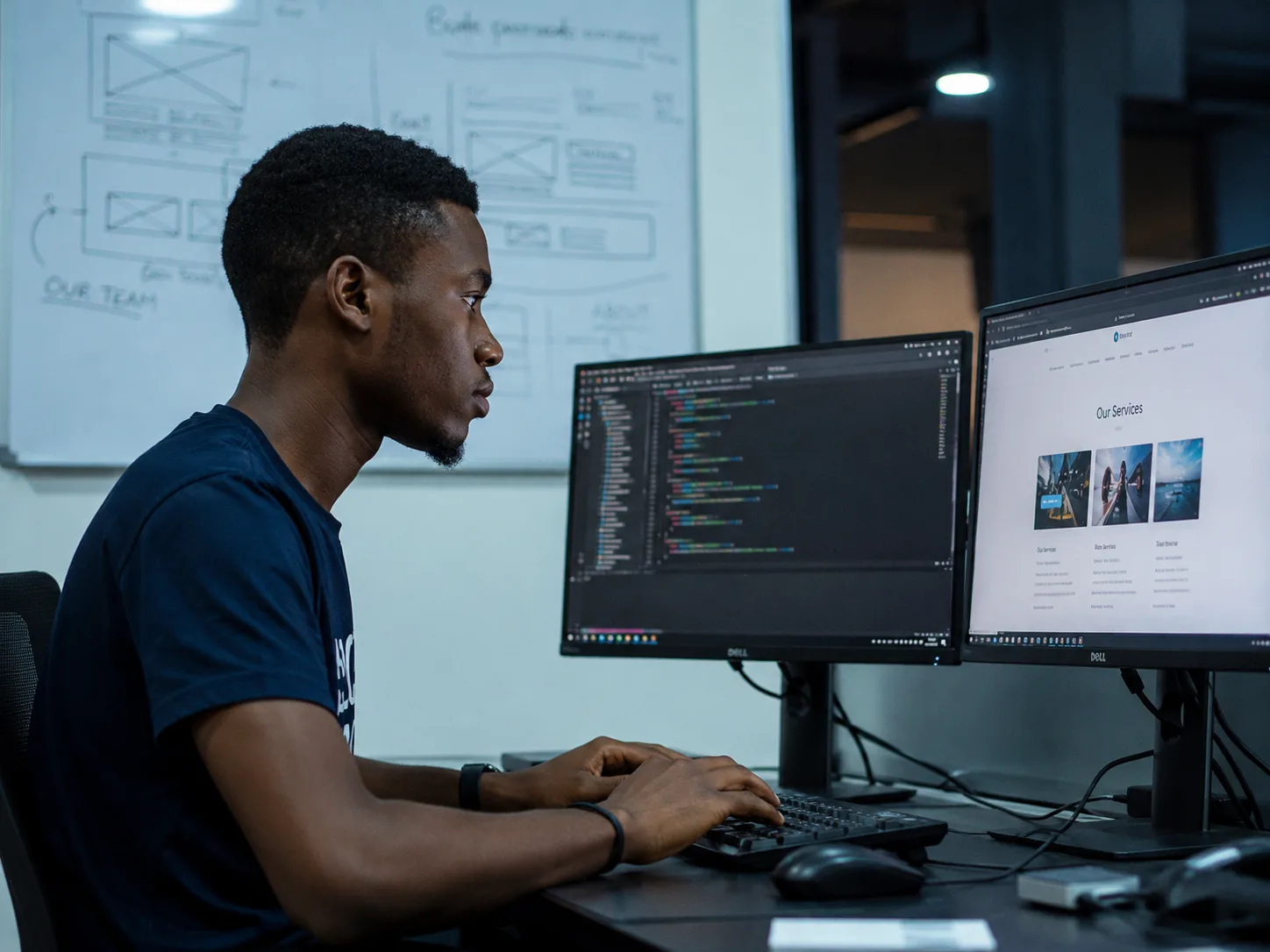
Advance Your Career with Industry-Ready Technology Training
Gain practical skills, professional certifications, and real-world experience in Web Development, Software Engineering, Fiber Optics, Networking, and ICT Solutions from one of Nigeria's leading technology training institutes.
Register TodayDuration
3 Months