
Mobile Phone Technician
IMT Computers Nigeria Ltd teaches Mobile Phone Technician in Ikeja, Lagos — a 3-month, hands-on course covering phone components, displays, SMD components and ICs, charging systems, soldering and board-level repair, and software repair.
What You'll Learn
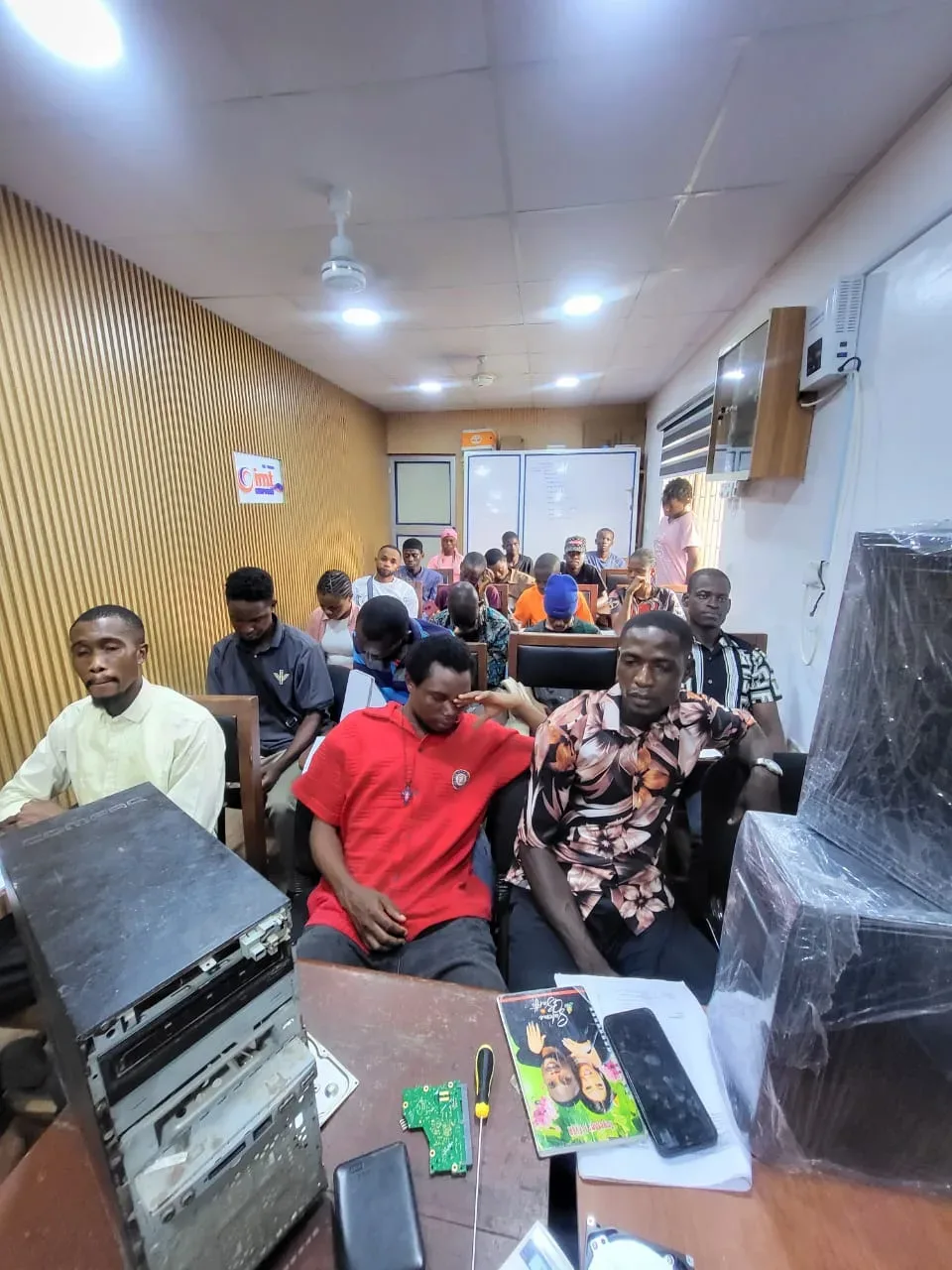
Our Training Facility in Ikeja
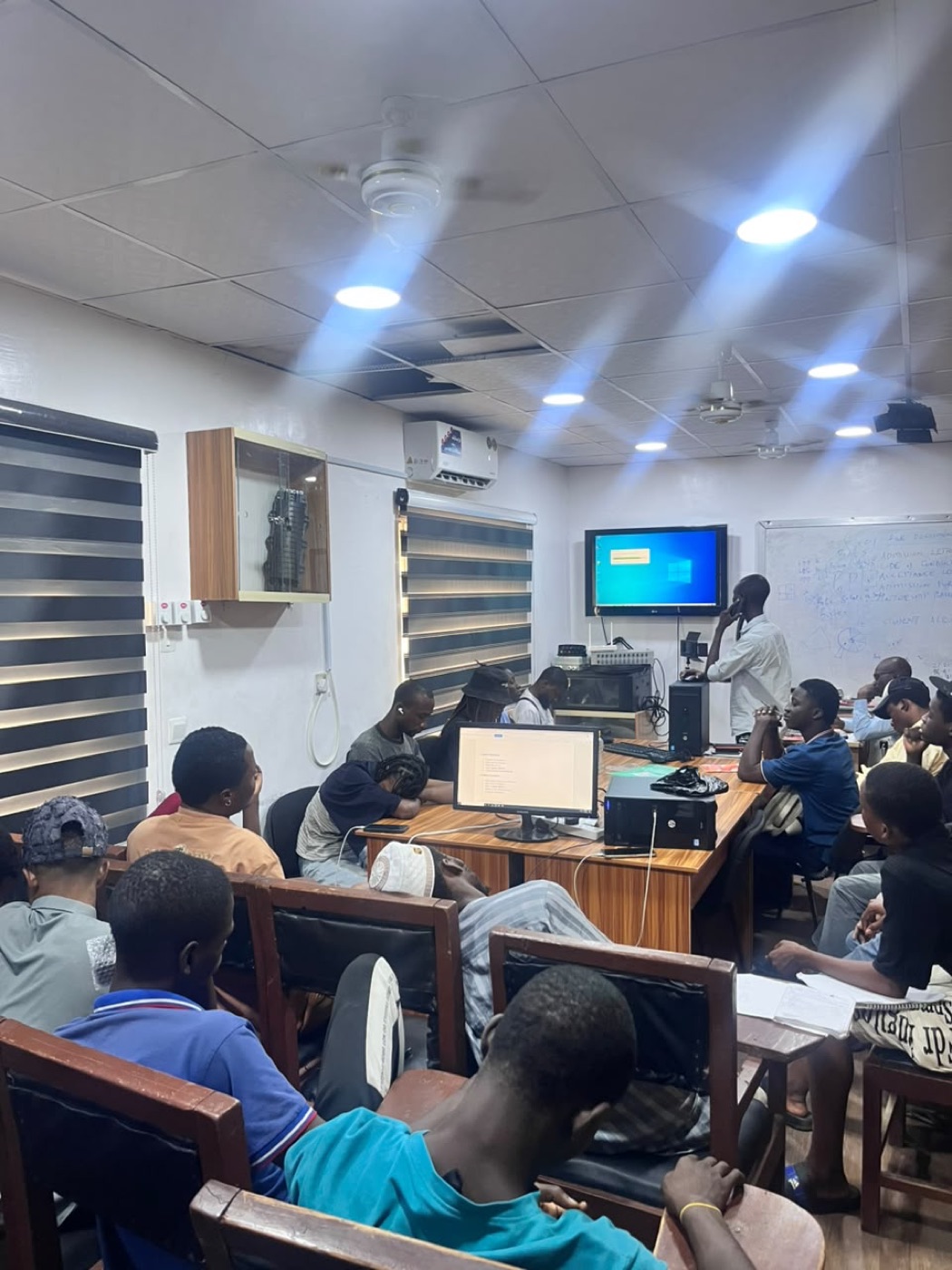
A real look at where you'll train — not a stock photo.
Course Curriculum
12 modules
- Introduction to Mobile Phone Repair
- Mobile Phone Technician Tools and Equipment
- Workshop Safety and Proper Handling of Mobile Devices
- Introduction to Mobile Phone Electronics
- Basic Electrical Concepts
- Identification of Mobile Phone Parts and Components
- Functions of Major Mobile Phone Components
- Mobile Phone Housing and Back Cover
- Mobile Phone Display Systems
- Introduction to Mobile Phone Motherboard/PCB
- Practical: Identification of mobile phone parts
- Practical: Identification of motherboard and sub-board
- Practical: Proper use of repair tools
- Practical: Basic phone disassembly
- Mobile Phone Battery
- Battery Pins: Positive, Negative, BSI and BTemp
- Battery Capacity and Voltage
- Antenna Systems
- GSM, Wi-Fi and NFC Antenna
- Microphones (analog and digital/MEMS)
- Speakers (ear speaker and ringer/loudspeaker)
- Camera Systems
- Vibrator/Motor
- Flex Cables and Connectors
- Power/On-Off Switch
- Sub-Board/Charging Flex
- Practical: Identify different phone components
- Practical: Test batteries
- Practical: Identify microphone and speaker types
- Practical: Identify flex cables and connectors
- Practical: Component replacement practice
- Mobile Phone Display Structure
- LCD Display
- LED Display
- TFT Display
- OLED Display
- IPS Display
- AMOLED and Super AMOLED
- POLED and PMOLED
- Touchscreen Technology
- Common Display Faults
- Display Connector and Flex Problems
- Practical: Screen diagnosis
- Practical: Screen removal
- Practical: Screen replacement
- Practical: Display connector inspection
- Practical: Touchscreen testing
- Introduction to SMD Components
- Resistors
- Capacitors
- Inductors/Coils
- Diodes
- Crystal Oscillators
- Transistors
- MOSFETs
- Band Pass Filters
- EMI Filters
- Couplers
- External Antenna Socket
- Understanding Component Symbols and Identification
- Practical: Identify SMD components on a motherboard
- Practical: Test resistors and capacitors
- Practical: Test diodes
- Practical: Identify coils
- Practical: Identify transistors and MOSFETs
- Practical: Use a multimeter for component testing
- Introduction to Integrated Circuits (ICs)
- Mobile Phone Motherboard Architecture
- Power IC
- Power Amplifier (PA/PFO) IC
- Network/RF IC
- Wi-Fi IC
- Processor/CPU
- Flash memory (NAND, eMMC, eMCP and UFS)
- Touch IC
- USB/OTG IC
- LED Driver IC
- Voltage Regulator IC
- Audio Amplifier IC
- Protection IC
- Practical: Identify major ICs on different phone motherboards
- Practical: Trace components around major ICs
- Practical: Identify power and charging sections
- Practical: Identify network and audio sections
- Understanding Mobile Phone Power Systems
- Battery Power Flow
- Power IC and Voltage Regulation
- Voltage Regulator IC
- Charging Circuit
- Charging Connector
- USB/OTG IC
- Sub-Board and Charging Flex
- DC Charging Faults
- Battery Charging Faults
- No Charging Diagnosis
- Slow Charging Diagnosis
- Charging Port Replacement
- Practical: Test battery voltage
- Practical: Test charging voltage
- Practical: Diagnose charging faults
- Practical: Replace charging connectors
- Practical: Repair charging flex/sub-board
- Practical: Trace basic charging circuits
- Safe Mobile Phone Disassembly
- Mobile Phone Assembly Procedures
- Use of Screwdrivers and Opening Tools
- Flex Cable Handling
- Connector Handling
- Screen Replacement
- Battery Replacement
- Camera Replacement
- Speaker Replacement
- Microphone Replacement
- Button/Power Switch Replacement
- Charging Port Replacement
- Practical: Complete phone disassembly
- Practical: Component replacement
- Practical: Reassembly and functional testing
- Practical: Identify and correct assembly errors
- Introduction to Mobile Phone Soldering
- Soldering Tools and Equipment
- Soldering Iron
- Hot Air Rework Station
- Soldering Techniques
- Desoldering Techniques
- SMD Component Replacement
- Resistor Replacement
- Capacitor Replacement
- Diode Replacement
- Coil/Inductor Replacement
- Transistor/MOSFET Replacement
- Jumper Wire Techniques
- Basic Track/PCB Repair
- Practical: Soldering exercises
- Practical: Component removal
- Practical: SMD component replacement
- Practical: Track repair
- Practical: Jumper wire practice
- Practical: Board cleaning
- Mobile Phone Fault Diagnosis
- No Power Faults
- Dead Phone Diagnosis
- Auto Restart Problems
- No Display Problems
- Touchscreen Problems
- No Charging Problems
- Audio Problems
- Microphone Problems
- Speaker/Ringer Problems
- Camera Problems
- Network Problems
- Wi-Fi and Bluetooth Problems
- USB/Data Problems
- Practical: Fault identification
- Practical: Multimeter testing
- Practical: Voltage testing
- Practical: Continuity testing
- Practical: Short-circuit identification
- Practical: Fault tracing on motherboard
- Introduction to Mobile Phone Software
- Mobile Operating Systems
- Android Software Troubleshooting
- Firmware and ROM
- Flashing Mobile Phones
- Software Installation
- Boot Problems
- Boot Loop Problems
- System Hang Problems
- Application and Software Errors
- Factory Reset and Recovery
- Driver Installation
- Android Debug Bridge (ADB)
- Mobile Phone Repair Software and Tools
- Network and Signal Faults
- GSM/RF Section
- Power Amplifier and Network IC
- Wi-Fi Faults
- Bluetooth Faults
- Audio Section Troubleshooting
- Display and Backlight Faults
- USB/Data Faults
- Memory and Storage Faults
- Camera Faults
- Water-Damaged Phone Repair
- Corrosion Removal and Board Cleaning
- Advanced Fault Diagnosis
- Practical: Network fault diagnosis
- Practical: Audio circuit testing
- Practical: Display circuit troubleshooting
- Practical: Water-damaged phone inspection
- Practical: Corrosion cleaning
- Practical: Advanced motherboard testing
- Practical: Water-damage repair, corrosion removal and component replacement are included in your
- Complete Mobile Phone Fault Diagnosis
- Hardware Fault Troubleshooting
- Software Fault Troubleshooting
- Motherboard Component Identification
- SMD Component Testing
- Soldering and Component Replacement
- Screen Replacement
- Charging Port Repair
- Battery Replacement
- Software Flashing
- Phone Testing and Quality Control
- Repair Documentation
- Customer Service and Professional Conduct
- Assessment task: Diagnose a faulty mobile phone
- Assessment task: Identify the defective component or section
- Assessment task: Safely disassemble the phone
- Assessment task: Test components using appropriate tools
- Assessment task: Perform component replacement
- Assessment task: Carry out soldering/desoldering
- Assessment task: Repair charging faults
- Assessment task: Replace screens and batteries
- Assessment task: Troubleshoot software problems
- Assessment task: Flash firmware where appropriate
- Assessment task: Reassemble and test the phone
- Assessment task: Document the repair performed
Your Certificate
Finish Mobile Phone Technician (3 Months) and you receive an IMT Computers certificate with your name and this course on it.
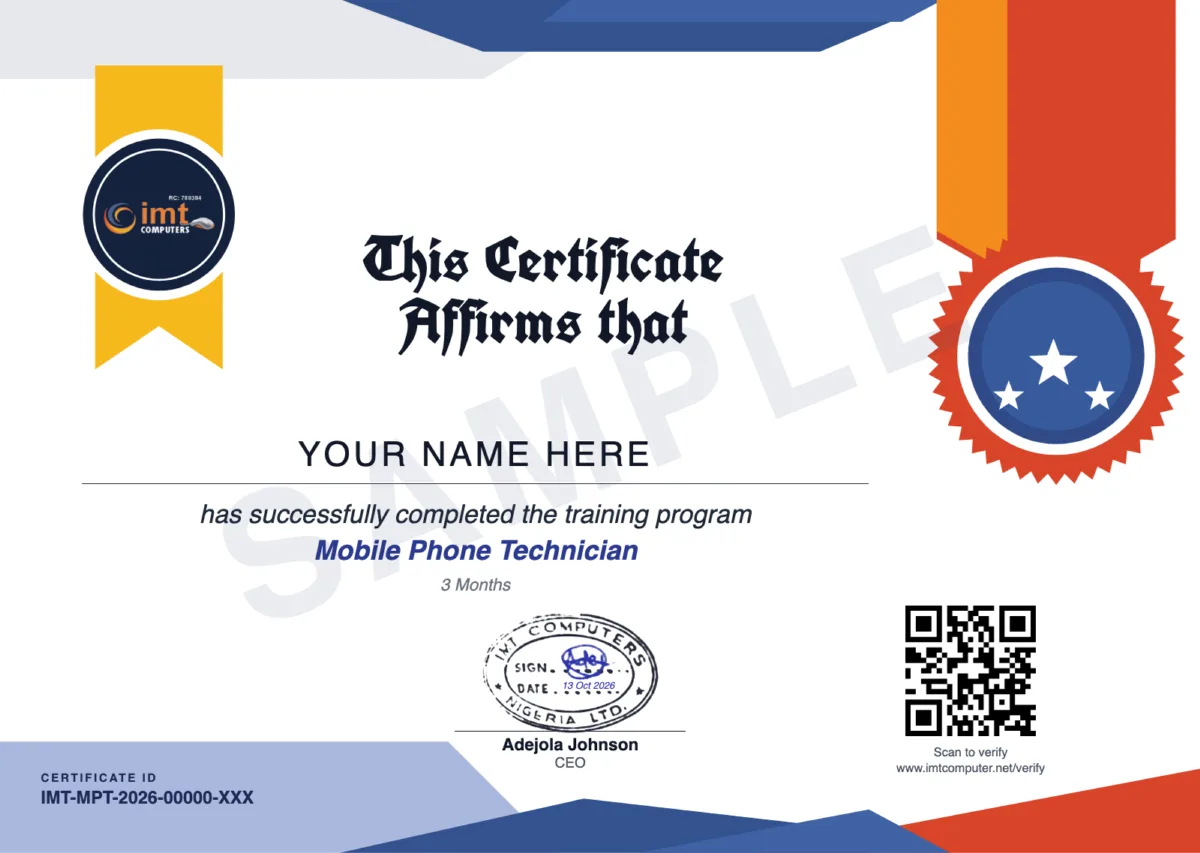
- Its own web link. Send it to an employer or client. They can view the certificate there, and download the PDF once you have agreed to show your name.
- A QR code to scan. It opens the page that confirms IMT Computers issued the certificate. Anyone can also check the Certificate ID on the Verify a Certificate page.
- It does not expire. The certificate stays valid unless IMT Computers revokes it.
- Add it to LinkedIn. From your student portal you can add the certificate to your LinkedIn profile, with the link that lets anyone check it. How it works
Requirements
- Training is hands-on at our workshop in Ikeja, Lagos
- The course starts with tools, workshop safety and phone components in week 1
- Our admissions team confirms the next start date, the class days and your fee within 24 hours of registration
Course Description
Frequently Asked Questions
How long is the Mobile Phone Technician course?
The course runs for 3 months (12 weeks). Register and our admissions team will confirm the next start date and the class days.
What phone repairs will I learn?
Screen, battery, charging port, camera, speaker, microphone and button replacement; soldering, desoldering and SMD component replacement; charging and power faults; network, audio, display and USB faults; water-damaged phones; and software repair, including flashing firmware.
Will I learn soldering and board-level repair?
Yes. Week 8 is dedicated to soldering, desoldering and board-level repair, and the weeks before it teach you to identify SMD components and the main ICs on a phone motherboard.
Does the course cover software problems?
Yes. Week 10 covers Android software troubleshooting, firmware and ROMs, flashing, boot loop and system hang problems, factory reset and recovery, drivers and ADB.
How much does the course cost?
We don't publish a flat rate. Register and our admissions team will confirm your fee within 24 hours.
Will I get a certificate?
Yes. You receive an IMT Computers certificate of completion for Mobile Phone Technician, with a QR code and its own web link. Anyone can verify it on our Verify a Certificate page, and it does not expire.
This Course Includes
Register for This Course
Our admissions team will reach out within 24 hours.
Repair training: guides and news
- How to Become a Phone Repair Technician in Nigeria: What to Learn and in What Order Career Tips · October 13, 2026
- Phone Not Charging? Causes and How a Technician Finds the Fault Industry Insights · October 13, 2026
- What Is Chip-Level (Board-Level) Laptop Repair? Skills, Tools and Training Industry Insights · October 13, 2026
- MacBook Repair Training: Why It Is a Different Skill from Windows Laptop Repair Industry Insights · October 13, 2026
- Laptop Not Charging? Causes and How Technicians Find the Fault Industry Insights · October 13, 2026
- How to Become a Laptop Technician in Nigeria: Skills, Tools and Training Career Tips · October 13, 2026
- Phone Repair or Laptop Repair: Which Should You Learn First? Career Tips · October 13, 2026
- How to Choose a Phone and Laptop Repair Training School in Lagos: 8 Things to Check Career Tips · October 13, 2026

Advance Your Career with Industry-Ready Technology Training
Gain practical skills, professional certifications, and real-world experience in Web Development, Software Engineering, Fiber Optics, Networking, and ICT Solutions from one of Nigeria's leading technology training institutes.
Register TodayDuration
3 Months