Laptop Engineering & Board-Level Repair
IMT Computers Nigeria Ltd teaches Laptop Engineering & Board-Level Repair in Ikeja, Lagos — a 3-month course in chip-level motherboard repair: power architecture, charging circuits, schematics and boardview, BIOS programming and micro-soldering.
What You'll Learn
Our Training Facility in Ikeja
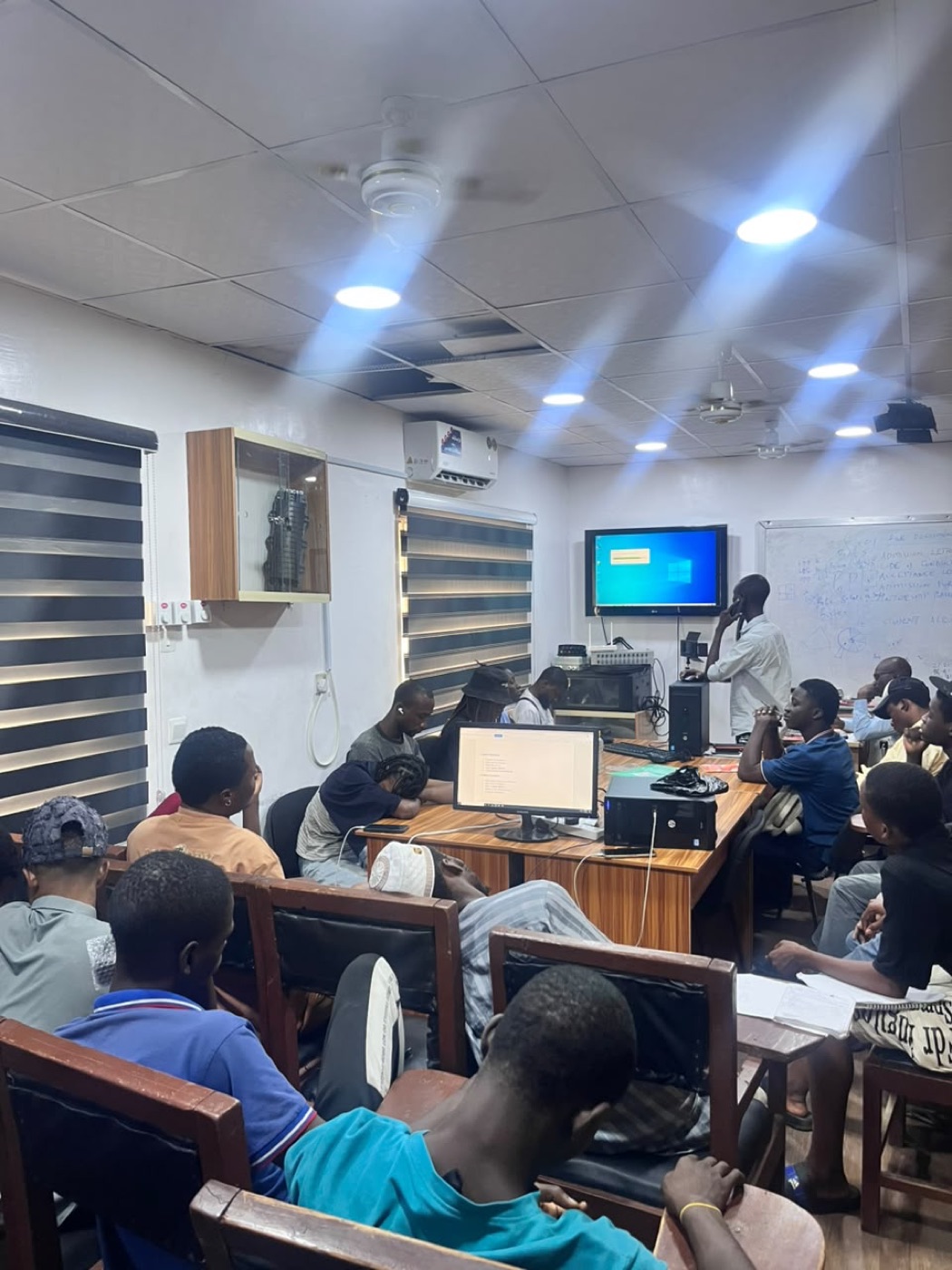
A real look at where you'll train — not a stock photo.
Course Curriculum
12 modules
- Introduction to laptop engineering
- Laptop architecture and major components
- Laptop motherboard overview
- Identification of motherboard sections
- CPU, RAM, storage and chipset
- Power supply and charging system
- Embedded Controller (EC)
- BIOS/UEFI
- Schematic and boardview introduction
- Workshop safety and ESD protection
- Practical: Laptop disassembly and assembly
- Practical: Motherboard identification
- Practical: Identifying major components on different laptop boards
- Voltage, current and resistance
- Ohm's Law
- AC and DC
- Series and parallel circuits
- Continuity and resistance testing
- Short-circuit concepts
- Ground and power rails
- Capacitors
- Resistors
- Coils/inductors
- Diodes
- MOSFETs
- Transistors
- Practical: Multimeter operation
- Practical: Measuring resistance, voltage and continuity
- Practical: Identifying SMD components
- Practical: Testing common components
- Laptop power flow
- DC-in circuit
- DC jack/USB-C power input
- Input protection
- Fuse and current sensing
- Charging circuit
- Battery circuit
- Power MOSFETs
- 3V and 5V power rails
- Always-on voltage rails
- Power sequencing
- Practical: Trace laptop power circuits
- Practical: Measure major voltage rails
- Practical: Diagnose no-power conditions
- Power Management IC
- Charging IC
- Battery charging circuit
- Adapter detection
- Battery detection
- Current sensing
- Gate control
- MOSFET switching
- Common charging faults
- No charging
- Not detecting charger
- Battery not charging
- Practical: Charging circuit diagnosis
- Practical: MOSFET testing
- Practical: Charging IC circuit analysis
- Practical: Fault tracing using schematic/boardview
- Understanding laptop schematics
- Circuit symbols
- Component references
- Net names
- Power rails
- Signal lines
- Ground points
- Component-to-component tracing
- Boardview software
- Finding components on the physical motherboard
- Using schematic and boardview together
- Practical: Trace a complete circuit from schematic to motherboard
- Practical: Locate components using boardview
- Practical: Follow a suspected faulty power rail
- BIOS/UEFI fundamentals
- BIOS chip identification
- EC/KBC/SIO
- BIOS and EC relationship
- BIOS corruption
- BIOS programming
- BIOS backup
- BIOS replacement
- Firmware-related boot problems
- Password/firmware issues
- BIOS recovery
- Practical: Identify BIOS chip
- Practical: Read and write BIOS
- Practical: BIOS programming tools
- Practical: BIOS troubleshooting
- CPU power supply
- CPU voltage regulation
- RAM types and power circuits
- DDR memory
- RAM troubleshooting
- SSD and HDD interface
- NVMe
- SATA
- Storage power circuits
- Storage detection faults
- Practical: RAM diagnosis
- Practical: Storage diagnosis
- Practical: Measure CPU/RAM power rails
- Practical: Diagnose no-RAM/display-related faults
- LCD/LED laptop display systems
- Display power
- Backlight circuit
- Display connector
- eDP/LVDS concepts
- Keyboard circuit
- Touchpad
- USB circuits
- HDMI/DisplayPort
- Audio circuit
- Camera and microphone
- Practical: Diagnose no-display faults
- Practical: Backlight diagnosis
- Practical: USB port testing
- Practical: Keyboard/touchpad fault diagnosis
- Systematic motherboard diagnosis
- Dead laptop diagnosis
- No-power troubleshooting
- No-display troubleshooting
- Automatic shutdown
- Restarting problems
- Overheating
- Short circuits
- Missing voltage rails
- Component failure
- Fault isolation methodology
- Practical: Diagnose real faulty motherboards
- Practical: Voltage injection techniques
- Practical: Thermal/short detection
- Practical: Fault isolation
- Soldering equipment
- Hot-air rework station
- Soldering iron
- Microscope
- Flux and solder
- SMD soldering
- Component removal
- Component replacement
- MOSFET replacement
- Capacitor/resistor replacement
- Connector replacement
- Jumper/track repair
- Pad repair
- Practical: SMD component replacement
- Practical: MOSFET replacement
- Practical: Connector replacement
- Practical: Track repair
- Practical: Micro-soldering under microscope
- Power IC replacement
- Charging IC replacement
- BIOS chip replacement
- MOSFET replacement
- Shorted capacitor diagnosis
- Damaged tracks
- Burnt components
- Corrosion
- Water-damaged motherboard
- Liquid damage repair
- Advanced power sequence diagnosis
- Practical: Repair real defective laptop motherboards
- Practical: Component-level troubleshooting
- Practical: Board cleaning and corrosion treatment
- Complete motherboard diagnosis
- Schematic analysis
- Boardview tracing
- Power rail analysis
- BIOS programming
- Component replacement
- Micro-soldering
- No-power repair
- Charging repair
- Display fault repair
- Preventive maintenance
- Quality control
- Repair documentation
- Customer service
- Workshop/business setup
Your Certificate
Finish Laptop Engineering & Board-Level Repair (3 Months) and you receive an IMT Computers certificate with your name and this course on it.
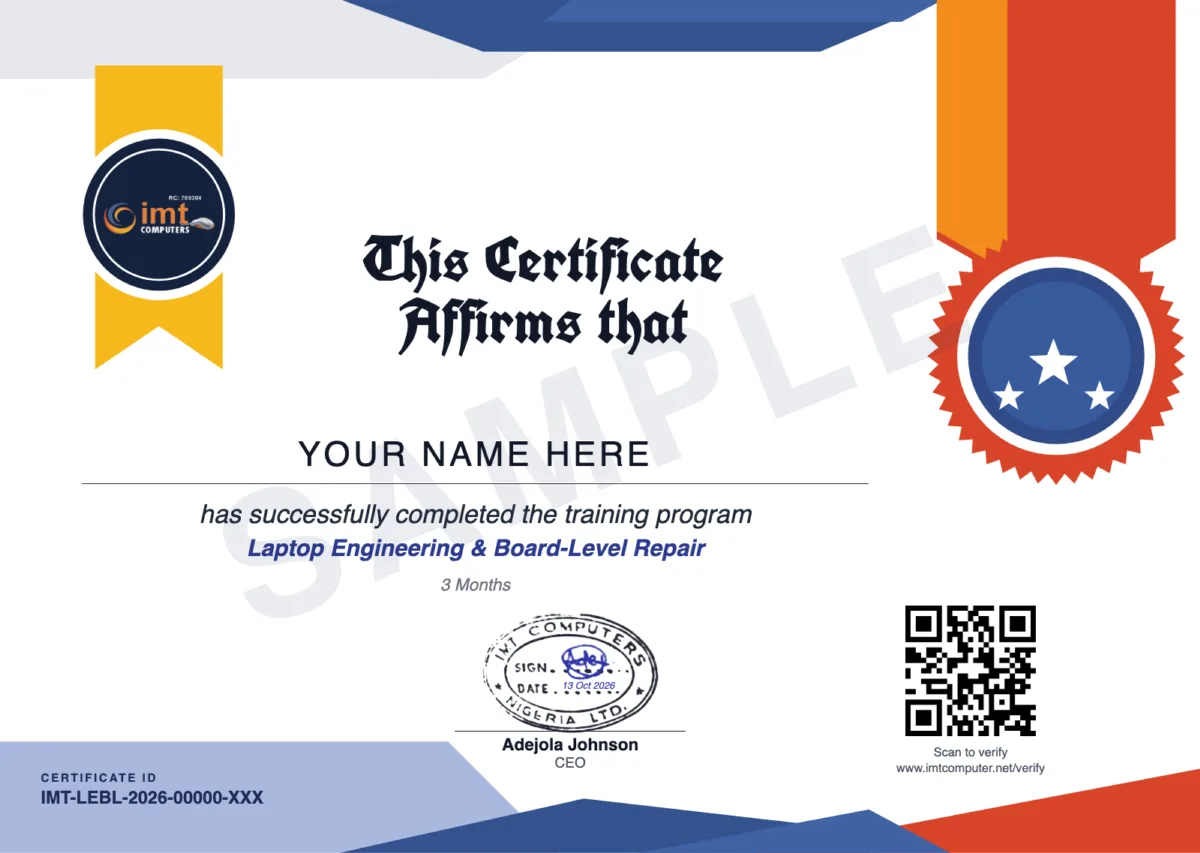
- Its own web link. Send it to an employer or client. They can view the certificate there, and download the PDF once you have agreed to show your name.
- A QR code to scan. It opens the page that confirms IMT Computers issued the certificate. Anyone can also check the Certificate ID on the Verify a Certificate page.
- It does not expire. The certificate stays valid unless IMT Computers revokes it.
- Add it to LinkedIn. From your student portal you can add the certificate to your LinkedIn profile, with the link that lets anyone check it. How it works
Requirements
- Classes hold on Mondays and Thursdays, 10am to 1pm, at our workshop in Ikeja, Lagos
- Tell our admissions team what repair experience you already have and they will confirm this is the right course
- Our admissions team confirms the next start date and your fee within 24 hours of registration
Course Description
Frequently Asked Questions
How long is the Laptop Engineering & Board-Level Repair course and when are classes?
The course runs for 3 months (12 weeks). Classes hold on Mondays and Thursdays, 10am to 1pm, at our workshop in Ikeja, Lagos.
What is chip-level motherboard repair?
It is repairing a laptop motherboard by finding and replacing the faulty component or chip, such as a MOSFET, a power or charging IC or a BIOS chip, instead of replacing the whole board.
Will I learn to read schematics and boardview?
Yes. Week 5 is dedicated to schematic diagrams and boardview analysis, and you use them throughout the later diagnosis and repair weeks.
How is this different from Laptop Technician Repair?
Laptop Technician Repair covers the whole laptop with an introduction to motherboards. This course is dedicated to the motherboard itself: power circuits, schematics, BIOS programming and micro-soldering on real faulty boards.
How much does the course cost?
We don't publish a flat rate. Register and our admissions team will confirm your fee within 24 hours.
Will I get a certificate?
Yes. You receive an IMT Computers certificate of completion for Laptop Engineering & Board-Level Repair, with a QR code and its own web link. Anyone can verify it on our Verify a Certificate page, and it does not expire.
This Course Includes
Register for This Course
Our admissions team will reach out within 24 hours.
Repair training: guides and news
- What Is Chip-Level (Board-Level) Laptop Repair? Skills, Tools and Training Industry Insights · October 13, 2026
- Laptop Not Charging? Causes and How Technicians Find the Fault Industry Insights · October 13, 2026
- MacBook Repair Training: Why It Is a Different Skill from Windows Laptop Repair Industry Insights · October 13, 2026
- Phone Not Charging? Causes and How a Technician Finds the Fault Industry Insights · October 13, 2026
- How to Become a Laptop Technician in Nigeria: Skills, Tools and Training Career Tips · October 13, 2026
- How to Become a Phone Repair Technician in Nigeria: What to Learn and in What Order Career Tips · October 13, 2026
- Phone Repair or Laptop Repair: Which Should You Learn First? Career Tips · October 13, 2026
- How to Choose a Phone and Laptop Repair Training School in Lagos: 8 Things to Check Career Tips · October 13, 2026

Advance Your Career with Industry-Ready Technology Training
Gain practical skills, professional certifications, and real-world experience in Web Development, Software Engineering, Fiber Optics, Networking, and ICT Solutions from one of Nigeria's leading technology training institutes.
Register TodayDuration
3 Months